
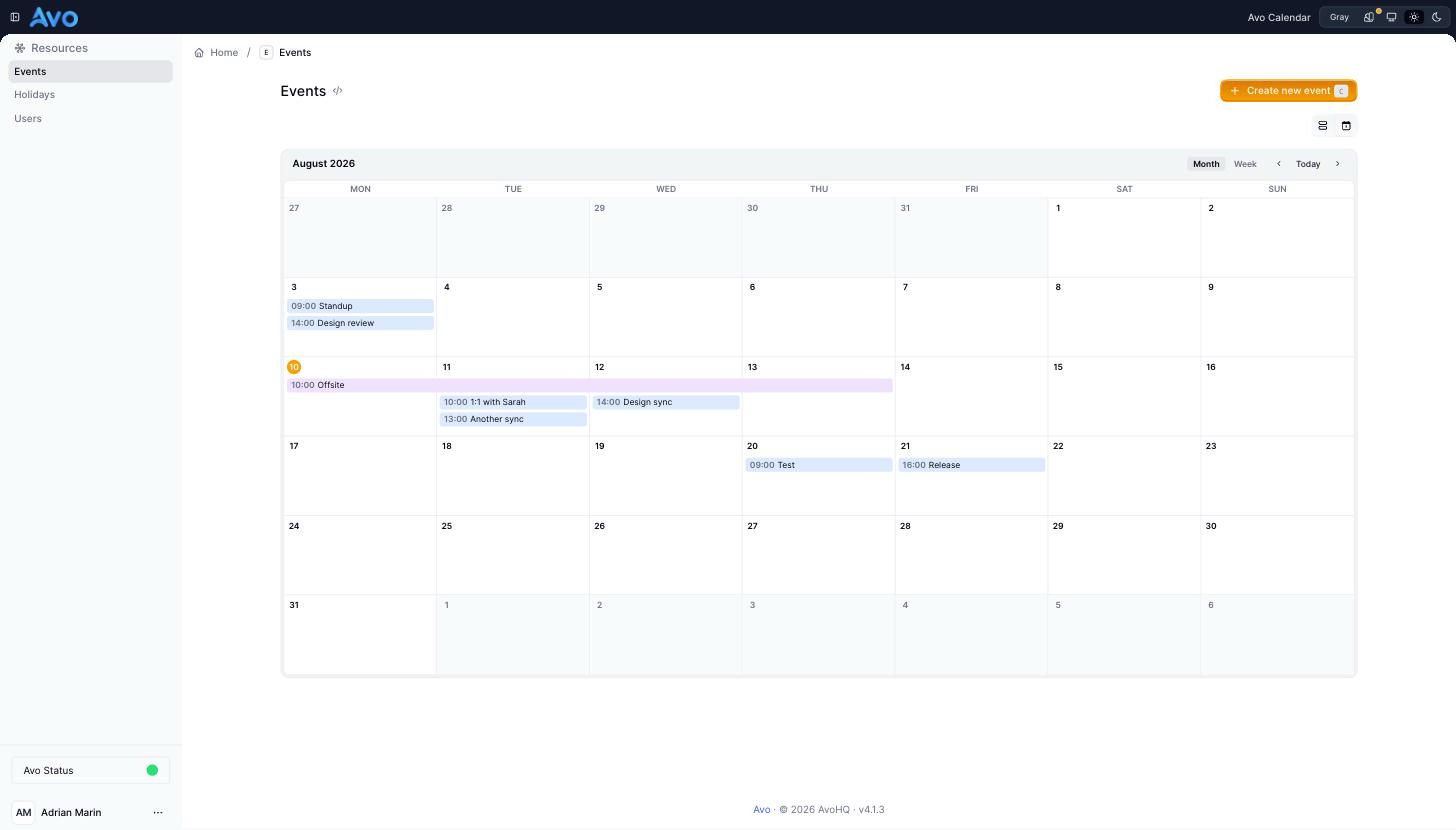
Calendar view
coming soonDisplay records on a month or week calendar, right on the index page — hour-based and all-day events, multi-day spanning, and record previews.
# $15/mo
gem "avo-calendar"
Bookings, appointments, deadlines, shifts — some records only make sense on a
calendar, and a table makes your team reconstruct the week in their heads.
Calendar view adds a :calendar view type to any
resource's index page, right next to table, grid, and map. Point it at the
date field with one config hash and the records you already have render as a
month grid or a week schedule — no new models, no separate calendar app.
It reads your data the way a calendar should: datetime columns become hour-based events with their start time on the chip, date columns become all-day bars, and a record with an end date spans every day it covers. Clicking an event opens a preview popover with the fields you chose, so checking a booking doesn't mean leaving the month. Filters and scopes keep working, and the calendar always shows the whole visible range — never just the current pagination page.
What you get
-
Turn any resource's index into a calendar with
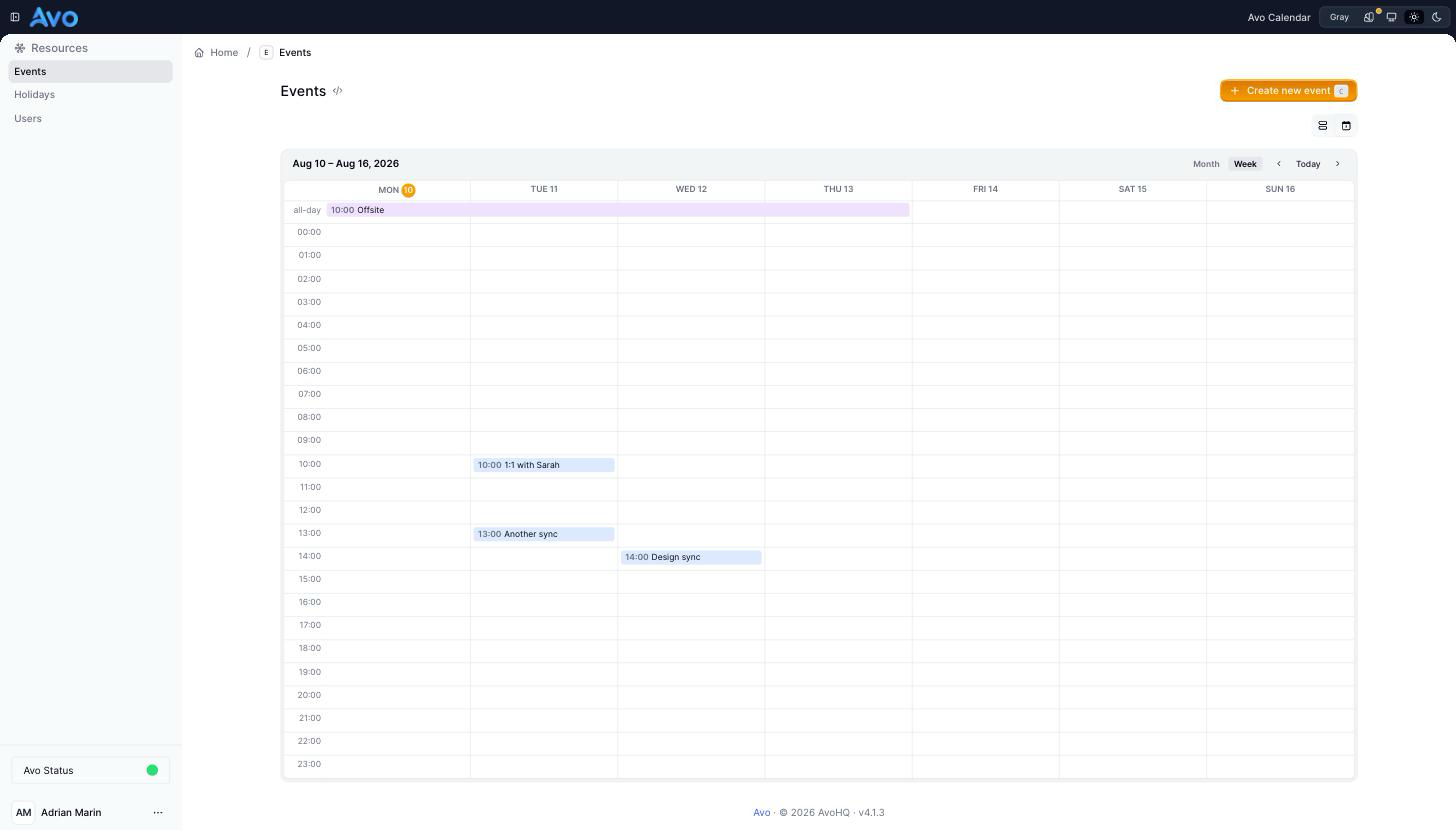
self.view_types = [:table, :calendar]— the date field is picked up automatically, or name it yourself - Month grid and week schedule with an all-day lane and hour rows, switchable from the header and linkable via the URL
-
Hour-based and all-day events inferred from the column type —
datetimechips carry their start time,datecolumns render as all-day bars -
Multi-day events span every day they cover; add an
ends_atattribute and offsites, stays, and rentals read as one bar instead of scattered rows - Click any event for a preview popover with the fields you marked for preview, plus a link to the record — no page navigation to peek at a booking
-
Color events straight from your data with a one-line proc —
color: -> { record.status == "urgent" ? :red : :blue } - Your index filters, scopes, and authorization keep applying — the calendar is a view type, not a parallel data path, and it always shows the whole visible month or week
Why it pays off
- A calendar looks like a weekend build until you hit the real cases: events crossing weeks, all-day versus timed, timezone-safe range queries, and a layout that survives both themes. Here those cases are already handled — and maintained.
- It queries the visible range directly instead of the paginated page, so the month is always complete. That is the bug most hand-rolled admin calendars ship with and never notice.
- It rides your existing resources — fields, filters, scopes, authorization — so there is no second source of truth to keep in sync and no calendar-specific API to secure.
- When Avo upgrades, the calendar upgrades with it. Your team plans their week in the admin they already use, and your developers stay on your product.