
Menu Editor
Create intuitive navigation that makes sense for your users. Organize complex apps into clear, logical sections.
# $15/mo
gem "avo-menu"
Lay out your Avo sidebar the way your team actually works, instead of settling
for the auto-generated list of resources. Menu Editor gives you a Ruby DSL in
config/initializers/avo.rb:
set config.main_menu
and build the navigation from sections, groups, resources, dashboards, and
plain links, in the order and grouping that match how people use the app.
Each item carries its own options: an icon from Heroicons or Tabler, a
visible
block that can call your Pundit policies so people only see what they can
reach, a hotkey
for keyboard navigation, and collapsable sections and groups. Nest links
under a resource for sub-items, or drop in all_resources
and all_dashboards
when you want the full set with a few exclusions.
The sidebar is where it earns its keep, but the same DSL drives more than the sidebar: reshape the header menu and the profile menu with the same building blocks, and more menus are on the way. It is a gem you configure, not navigation you rebuild and keep in sync with Avo by hand.
See it in action
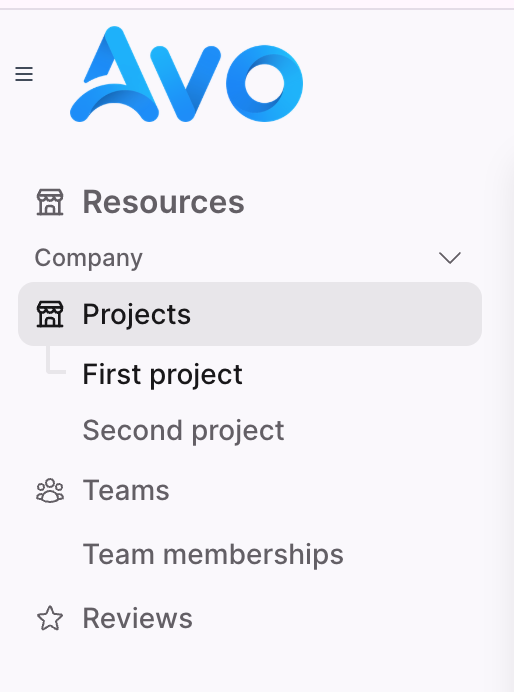
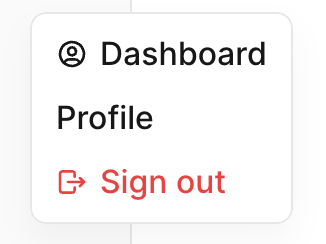
What you get
-
Build the sidebar in Ruby with
section,group,resource,dashboard, andlinkinconfig.main_menu -
Nest links under a resource for sub-items, or pull the full set with
all_resources,all_dashboards,all_tools - Per-item icons from Heroicons or Tabler on sections, links, resources, and dashboards
-
visibleblocks that call your authorization policies, so people only see items they can open - Collapsable and default-collapsed sections and groups for dense admin apps
- Keyboard hotkeys on resources, links, and dashboards for fast navigation
-
The same DSL for the header menu and
profile_menu, not just the sidebar, with more menus on the way
Why it pays off
- Ship a curated, role-aware sidebar this afternoon instead of writing your own menu component and authorization wiring.
- As your resources and dashboards change and Avo upgrades, the same menu DSL keeps working, so you never patch the navigation layer by hand.
- Visibility runs through your existing policies, so access control lives in one place instead of being duplicated in custom menu markup.
- One less internal tool for your team to build, document, and support.
Recent releases
- 3.21.0
- 3.20.3
- 3.20.2
- 3.20.1
- 3.19.2
# included in
# ready to ship?
You ship it this afternoon. We keep it solid for years.